It has been a crazy busy time rolling out new features to enhance the end user customer experience and to provide the features that photographers have been asking for.
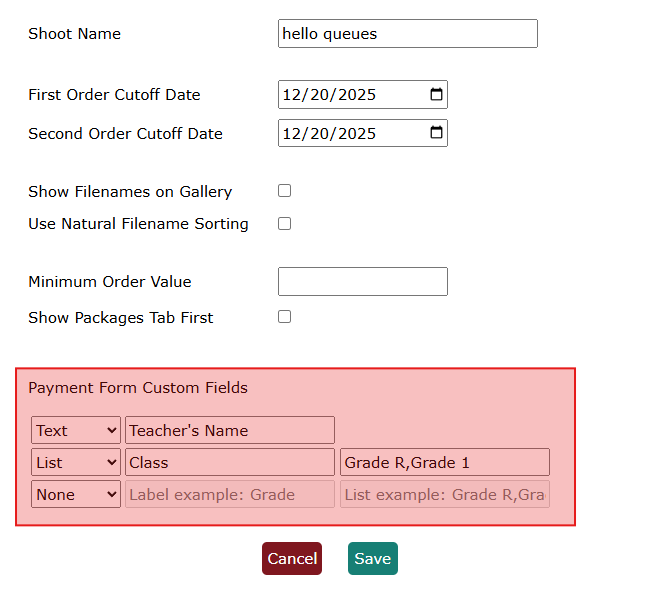
The first new feature is the ability to capture additional information when the customer makes payment. This is configured by selecting the Edit button on the shoot details page. Under the section 'Payment Form Custom Fields' you can configure 3 custom fields that will either be free form text or a drop down selection.
Once you have configured the fields to capture the desired additional information, click the Save button to activate the feature.
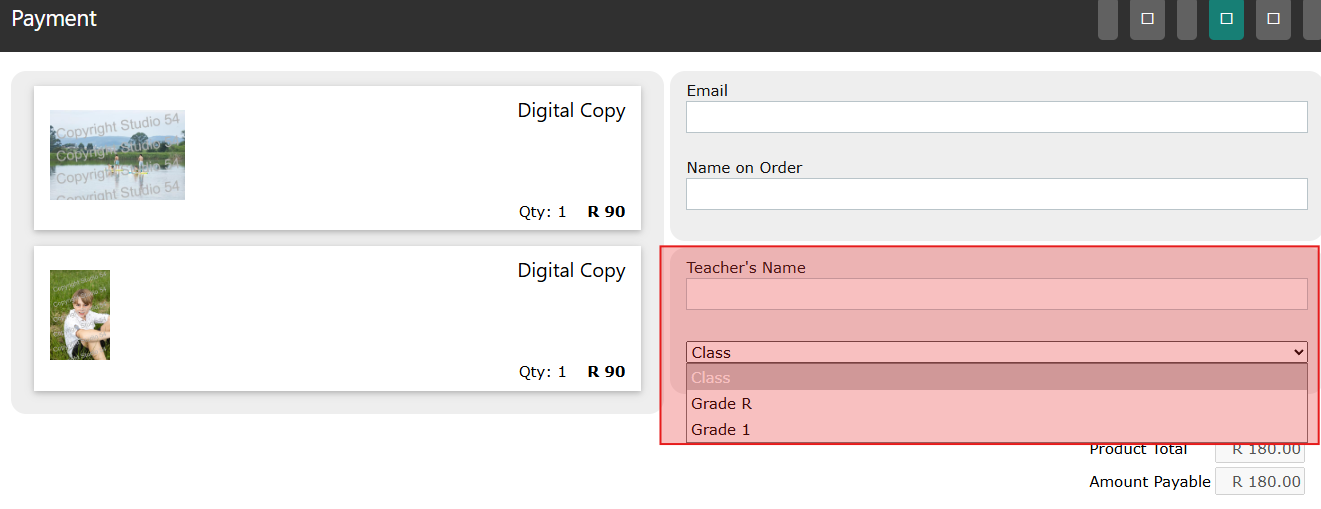
Once the customer has reached the payment page they will be asked to capture the additonal information before finalising the payment.
A great way to use this feature is if you have a single large gallery for say a school sports day where you don't have natural classes or groups to break into individual galleries. The custom field can then capture the class teacher or class name and that will automatically appear and sort the print batch's ticksheet for easy reconciliation.
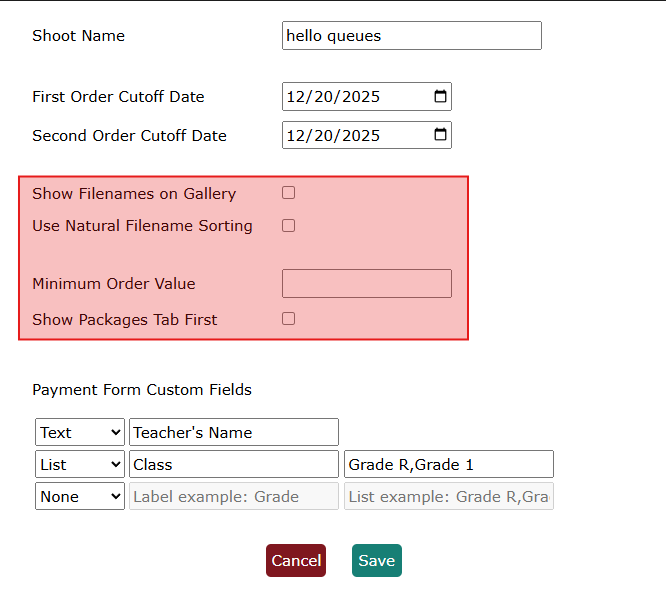
Some other useful gallery options that we have introduced include:
• an option to show the file names below the images on the gallery
• the ability to set a minimum order value per order and finally
• the ability to toggle whether the package or products tab is visible first by default.
These additional options can also be configured by selecting the Edit button on the shoot details page.