A cool new feature we have introduced is the ability to pin selected images to an individual product or one or more items in a package. This is particularly useful for instances where you have a special image like a class photo that you would only like ordered against a specific product.
To access the product and package pinning, edit the gallery and click the product or package icon below the image that you wish to pin.
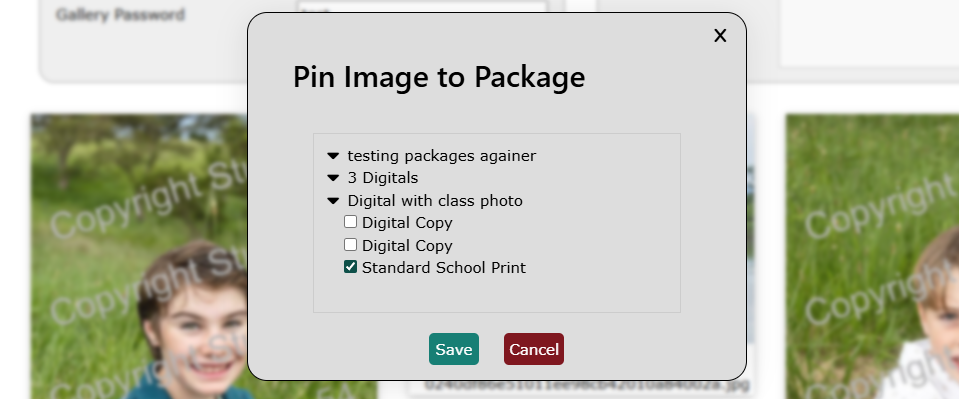
For package pinning select the package you would like the image pinned to and then select the specific item in the package that you would like to pin the image to. This is great for pinning a class photo to a custom product in a package called 'Class photo'.
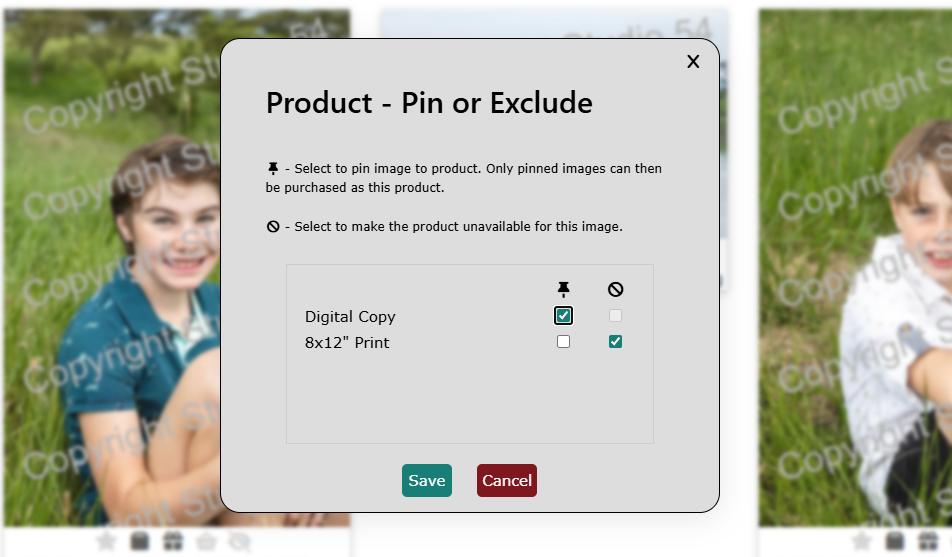
Product pinning allows you to both pin specific images to a product as well as to exclude the image from being able to be ordered for certain products.
This is great for pinning a class photo to a custom product called 'Class photo' but then also exluding this image from being able to be ordered in maybe a small jumbo print format.
Be careful when pinning an image to a product as that makes that product only available to be ordered for the images that are specifically pinned to it. Best practise would be to only pin a specific set of images to a custom product and leave the majority of products available to order with any image.
These options have been designed to offer more control over which images can be ordered with specific products, but in general, best practise would be to allow customers to order most images against most products. That gives them the best experience and the widest amount of choice.